Choose the board markings first, then install the matching KM RIFE firmware.
Follow the labels printed on the PCB. Do not guess from the plug shape alone. The installer supports four 2.8-inch CYD revisions and the Waveshare ESP32-S3 7-inch controller.
CYD current: KM CYD RIFE 3.1Waveshare current: RIFE 2.0 · MultilingualBrowser: Desktop Chrome or Edge
ESP32CYD + Waveshare
2.8-inch resistive touch or 7-inch GT911 touch
Recommended for unknown CYD revisions
Universal CYD RIFE 4.4 with first-run screen setup
Flash once
This single firmware contains the full RIFE application and a four-stage browser-controlled screen helper. Save the display settings and the same firmware restarts directly into RIFE.
The identifier tests the LCD controller, SPI mode, every rotation, horizontal and vertical mirroring, RGB/BGR order and inversion. The first test is landscape, a quick BOOT press skips, and holding BOOT saves the correct profile.
Identify my CYDDesigned for remote users who cannot identify the screen from the PCB or seller listing.
Waveshare ESP32-S3 7-inch · Current
Waveshare RIFE 2.0 — Multilingual
7 languages
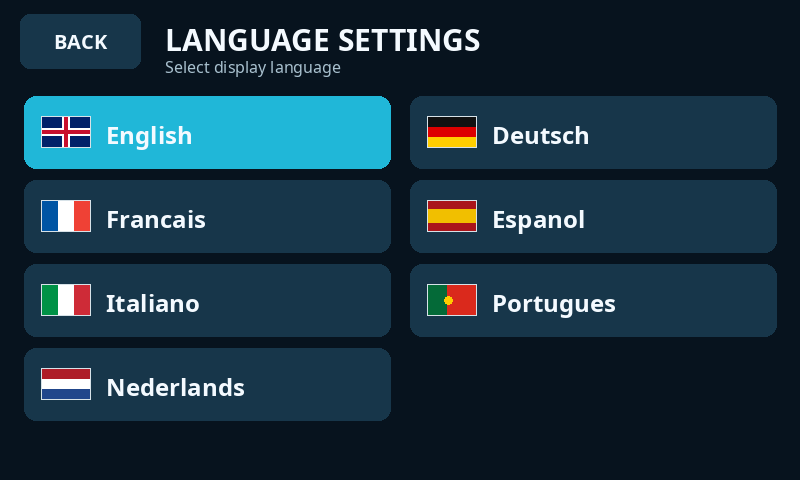
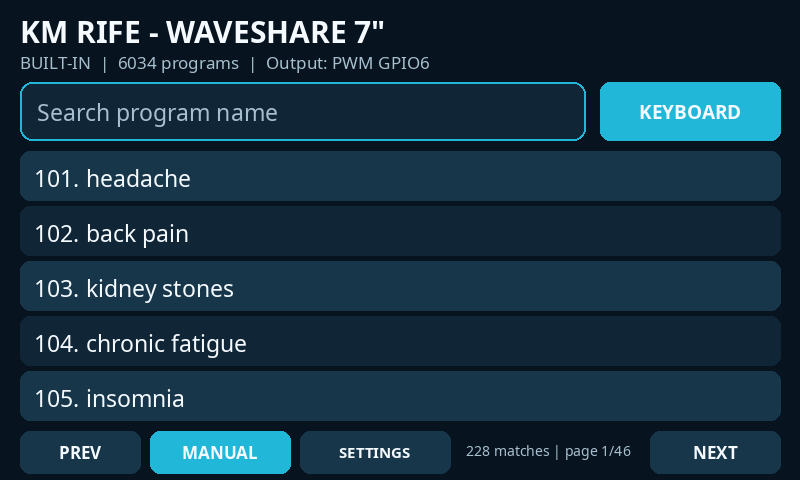
The complete Waveshare touchscreen firmware with persistent language selection in Settings. Interface controls and program names/search follow the selected language: English, Deutsch, Français, Español, Italiano, Português or Nederlands.
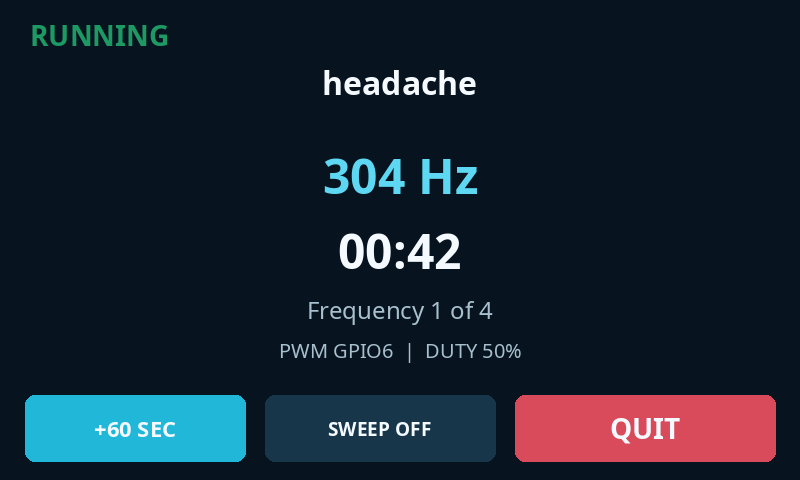
Adds a top-right MANUAL editor with eight saved frequencies, dwell selection, square PWM output and sine output through an AD9833 controlled by an external PCF8574 at address 0x21.
These 800×480 interface renders follow the page locale automatically. They show the language picker, translated program search and running screen from the multilingual firmware.
Language selectionTranslated program searchRunning program
Preview locale: English. Locale is read from ?lang=, the page lang attribute, or the browser language.
Step 1 of 3
Read the PCB marking, then select it below
v3.1
1
Read the writing on the circuit board. Select HW-458 only when HW-458 is printed on the PCB. Do not choose by colour or USB plug alone.
2
Use the programming USB socket and a data cable. Close Arduino IDE and every serial monitor before pressing install.
3
Click install, select the new COM/USB device, and choose Erase device. Wait for Finished before unplugging it.
Firmware is transferred directly from this HTTPS page to the connected ESP32. The website does not upload or store serial data.
Do not guessIf the PCB says HW-458, select the HW-458 option. If it says ILI9341 and has USB-C but does not say HW-458, select the USB-C ILI9341 option. A wrong display build can show static, wrong colours or a rotated screen, but it does not identify the board.
CYD original
ILI9341 · single Micro-USB
The original ESP32-2432S028R. Supports v3.1 and the retained v2.0 legacy build.
CYD USB-C
ILI9341 · USB-C revision
Later ILI9341 CYD with adjusted display colour settings. Use the dedicated USB-C build.
CYD dual USB
ST7789 · generic dual USB
Existing generic dual-USB ST7789 build. Keep this option for boards already working correctly with it.
CYD HW-458
ST7789 · HW-458 dual USB
PCB marked HW-458. Uses the corrected ST7789 SPI mode 3 setup, landscape rotation 1, BGR colour order, inversion off and GPIO4 display reset.
Waveshare 7
ESP32-S3 · 800×480 GT911
Waveshare ESP32-S3-Touch-LCD-7 with RGB display, capacitive touch, 16 MB flash and OPI PSRAM. Current v2.0 adds persistent multilingual UI and translated program names/search in seven languages while retaining the standalone library, manual programs, PWM/DDS settings, GPIO6 output and precision sequencing. Previous v1.13 remains available in the installer.
What happens
Three simple stages
01
Select hardware
Choose CYD or Waveshare first, then select the exact screen revision and firmware version.
02
Install firmware
The browser verifies the chip family and writes the complete offset-0 firmware image.
03
Restart
The device restarts automatically. Use EN/RST or the Waveshare reset button if needed.
Troubleshooting
Common connection and display fixes
No device appears in the browser list
Use desktop Chrome or Edge and a USB data cable. Try another port. CYD boards may need a CH340/CH341 driver; the Waveshare uses its ESP32-S3 USB connection.
Installation remains on “Connecting”
Hold BOOT, begin installation, keep holding while it connects, then release BOOT when writing starts.
The CYD screen is white or the colours are wrong
Return to the selector and install the exact ILI9341, generic ST7789 or HW-458 ST7789 build. The corrected HW-458 option uses ST7789 SPI mode 3, landscape rotation 1, BGR colour order and inversion off.
The Waveshare install button says the BIN is not uploaded
For Waveshare RIFE 2.0 upload KM_WAVESHARE_7_RIFE_2_0_MULTILINGUAL_WEB_FLASH.bin and manifest-waveshare7-v20-multilingual.json into the website firmware folder. The previous v1.13 files can remain alongside them.
The Waveshare screen or touch does not initialise
Confirm the board is the 7-inch Waveshare model, the firmware was compiled for 16 MB flash with OPI PSRAM, and the correct ESP32 Display Panel and LVGL v8 libraries were used.
Research and education tool only.
This software and website do not provide medical diagnosis or treatment advice. Use connected signal hardware responsibly and within its electrical ratings.